Monter de version majeurs en versions majeurs
Commencer par la version actuelle pour être sur de démarrer avec à jour de la version actuelle
npx -p @angular/cli@14 ng update @angular/core@14 @angular/cli@14 @angular/material@14 @angular/cdk@14
rm package-lock.json -Force
npm install
npx ng build
npx -p @angular/cli@15 ng update @angular/core@15 @angular/cli@15 @angular/material@15 @angular/cdk@15
rm package-lock.json -Force
npm install
npx ng build
... Continuer d'incrémenter la valeur jusqu'à la version souhaitée
Correction du pipeline
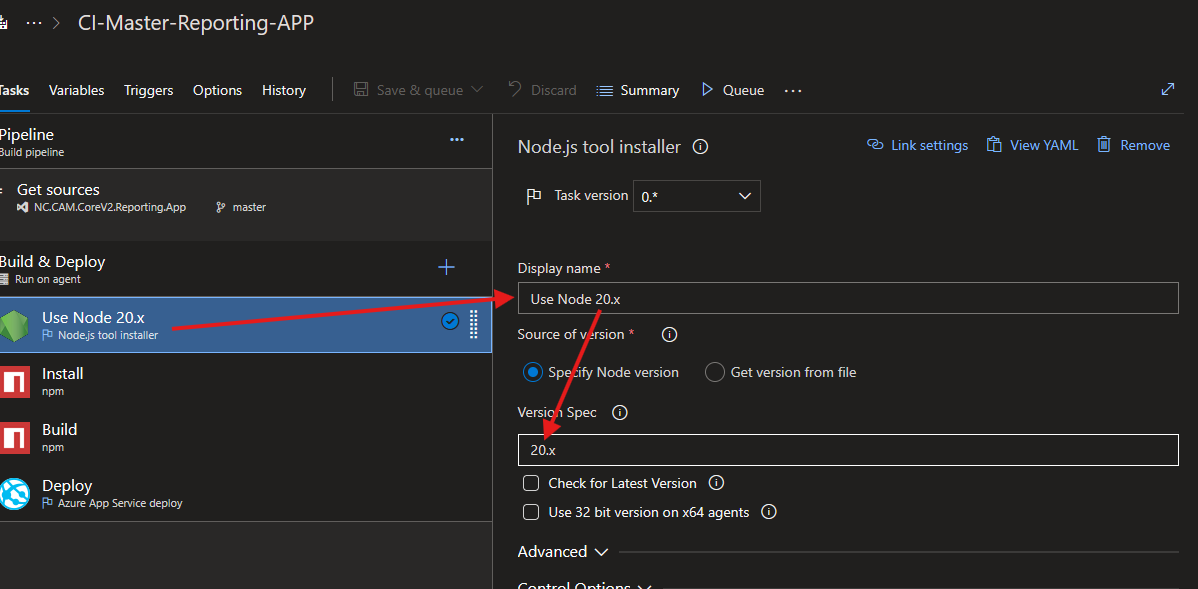
node version utilisé
Editer le pipeline et changer la version de node si necessaire
commandes production obsolètes
Editer le pipeline et changer des instructions
retirer --prod et --build-optimizer et utiliser :
--configuration production
run build-prod devient run build -- --configuration production
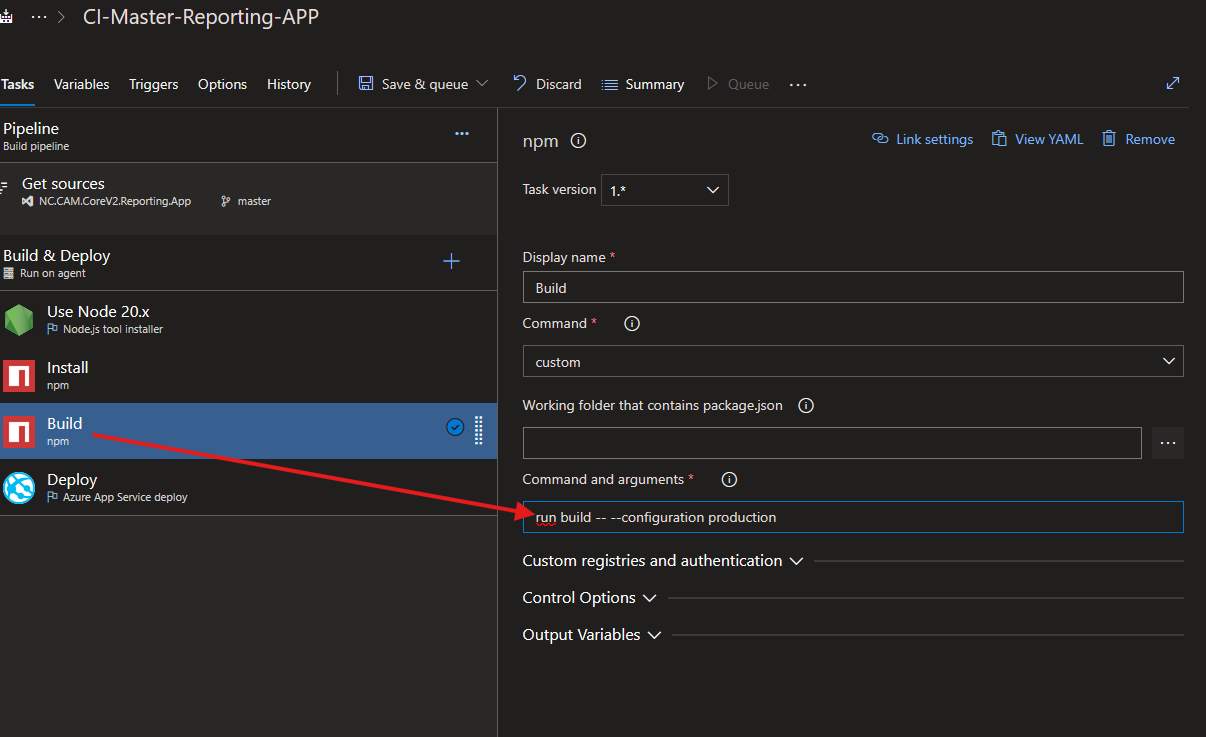 /!\ Il faut bien utiliser "-- --" pour indiquer que out ce qui vient après le premier "--" doit être passé au script, pas interprété par npm
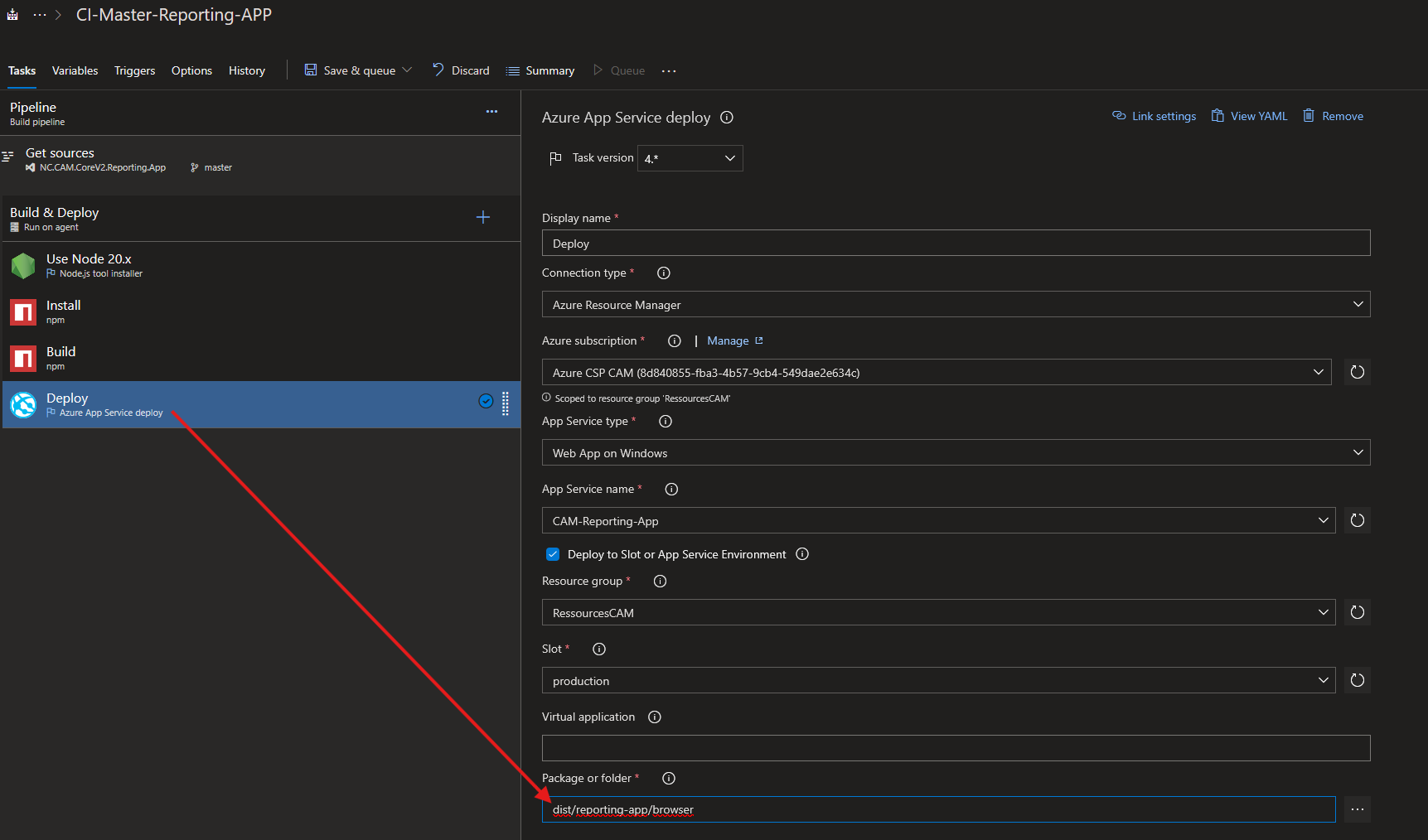
Chemin de déploiement obsolète
Editer le pipeline et changer la source du index.html
dist/reporting-app devient dist/reporting-app/browser
Troubleshoot
TypeScript version
Erreur
Error: Failed to initialize Angular compilation - The Angular Compiler requires TypeScript >=5.2.0 and <5.5.0 but 5.1.6 was found instead.
Correction
npm i -D typescript@~5.4.5
rm node_modules -r -force
rm package-lock.json -Force
npm install
Cannot update to Angular Material v17 because the project is using the legacy Material components
Erreur
> Updates Angular Material to v17.
    Cannot update to Angular Material v17 because the project is using the legacy Material components
    that have been deleted. While Angular Material v16 is compatible with Angular v17, it is recommended
    to switch away from the legacy components as soon as possible because they no longer receive bug fixes,
    accessibility improvements and new features.

    Read more about migrating away from legacy components: https://material.angular.io/guide/mdc-migration

    Files in the project using legacy Material components:
     - /src/app/app.component.ts
     - /src/app/app.module.ts
     - /src/app/sogefom/borrower-folders/borrower-folder-edit.component.ts
     - /src/app/sogefom/borrower-folders/borrower-folder-list.component.ts
     - /src/app/sogefom/modal/app-modal.component.ts
     - /src/app/sogefom/registers/register-list.component.ts
Correction
Mettre Angular en 17 sans upgrader Material
npx -p @angular/cli@17 ng update @angular/core@17 @angular/cli@17
Puis utiliser l'outil d'aider à la mise à niveau de Angular Material v17
npx ng generate @angular/material:mdc-migration
Puis finir l'installation
npx -p @angular/cli@17 ng update @angular/material@17 @angular/cdk@17
rm package-lock.json -Force
npm install
npx ng build
Error: src/app/app.module.ts:77:9 - error NG6002: 'MsalModule' does not appear to be an NgModule class.
Erreur
Error: src/app/app.module.ts:77:9 - error NG6002: 'MsalModule' does not appear to be an NgModule class.

77         MsalModule,
           ~~~~~~~~~~

  node_modules/@azure/msal-angular/msal.module.d.ts:5:22
    5 export declare class MsalModule {
                           ~~~~~~~~~~
    This likely means that the library (@azure/msal-angular) which declares MsalModule is not compatible with Angular Ivy. Check if a newer version of the library is available, and update if so. Also consider checking with the library's authors to see if the library is expected to be compatible with Ivy.
Correction
Vérifier la version puis mettre MSAL à jour
npm ls @azure/msal-angular @azure/msal-browser rxjs
npm i @azure/msal-angular@^4 @azure/msal-browser@^4
npm i rxjs@^7
rm node_modules -r -force
rm package-lock.json -force
npm install
npx ng build
Si besoin : Guide update MSAL
[ERROR] TS2305: Module '"@angular/core"' has no exported member 'ListenerOptions'
Erreur
Les erreurs TS2305 … has no exported member … (ListenerOptions, WritableResource, ResourceRef, ɵNavigation…) sont due à des mismatch de versions et peuvent être ignorés jusqu'a atteindre la version finale.
Correction
Il est possible de vérifier que ce sont des mismatch de version avec
npm ls @angular/core @angular/common @angular/animations @angular/platform-browser @angular/router
Ignorer et continuer les montées de versions. Si besoin ajouter --force.